Task #1145
openTask #1133: Slow Controls
Task #1136: Low-voltage controls
Display/GUIs
64%
Description
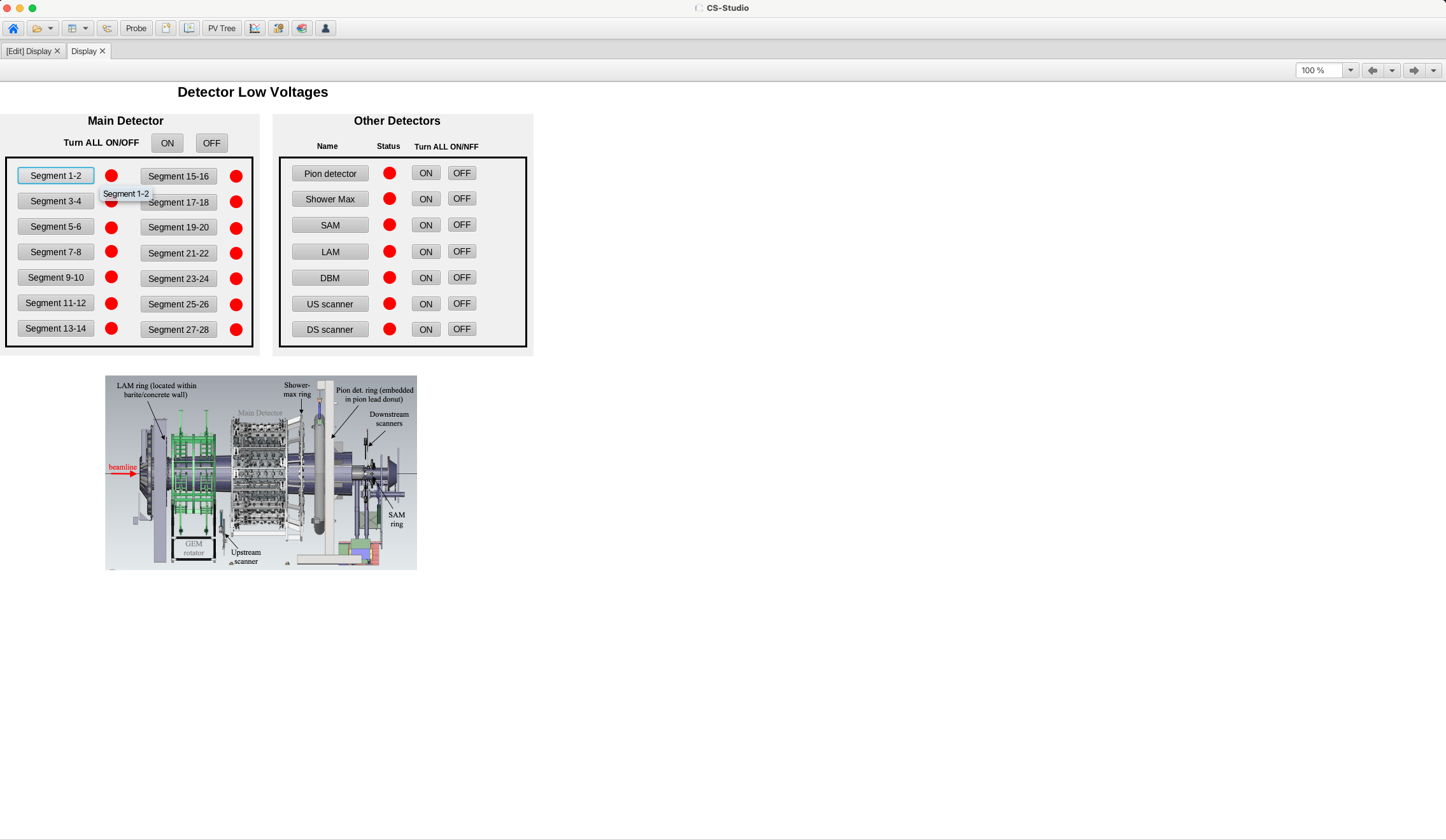
Create GUIs for controls and status monitoring. Need the detector overview and subsystem pages.
Files
| Display_draft.png (299 KB) Display_draft.png | |||
| MD_overview.png (250 KB) MD_overview.png | |||
| MD_overview_2.png (537 KB) MD_overview_2.png |
Updated by Sanghwa Park 6 months ago
- File Display_draft.png Display_draft.png added
Next steps:
- Test it with the crate that is already installed: update action buttons to link the tables and command scripts
- Set up other detector tables, define PVs and relevant actions.
- For main detectors, each segment is for PMTs that are vertically aligned along z-axis as they will be connected to the same LV module.
Need to check what other options we want to have for controlling them. For example, do we need a feature to turn on/off ring by ring?
Updated by Sanghwa Park 6 months ago
Comments from Sayak:
It is fine in my opinion to switch ON and OFF the entire segment but we definitely have to have a GUI or something which will show or monitor the LV and HV ring by ring. It would be needed to point out if any of the DC-DC converter (used for the PMT bases) is broken
Also there should be some lock on the LV or the HV GUI which should not allow us to ramp up the HV before turning on the LV (it might damage the PMT bases). We always should ramp the LV first and then the HV.
When we ramp down then we have to turn off the HV first and then ramp down the LVAnd this is true for Shower Max as well
Updated by Sanghwa Park 4 months ago
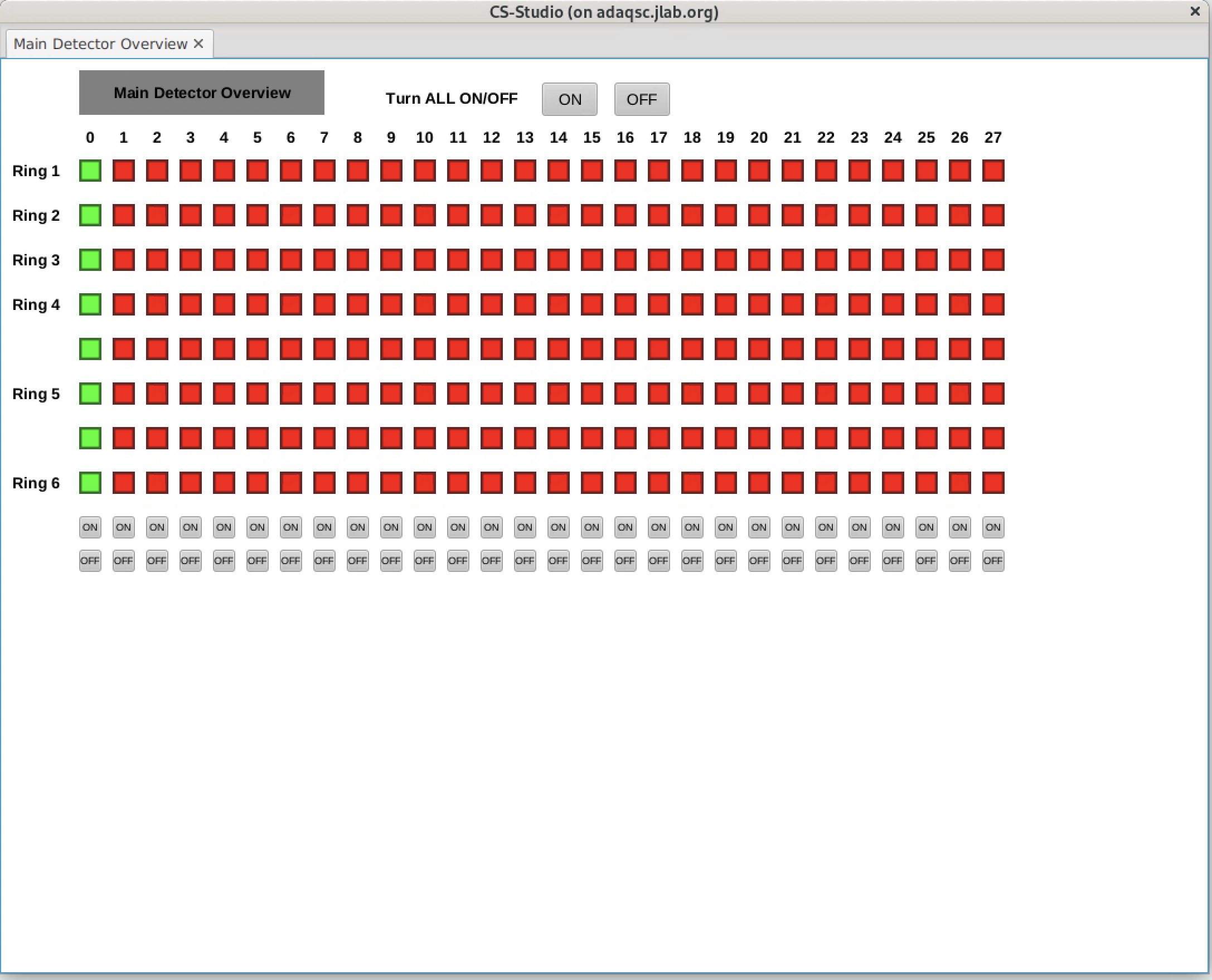
- File MD_overview.png MD_overview.png added
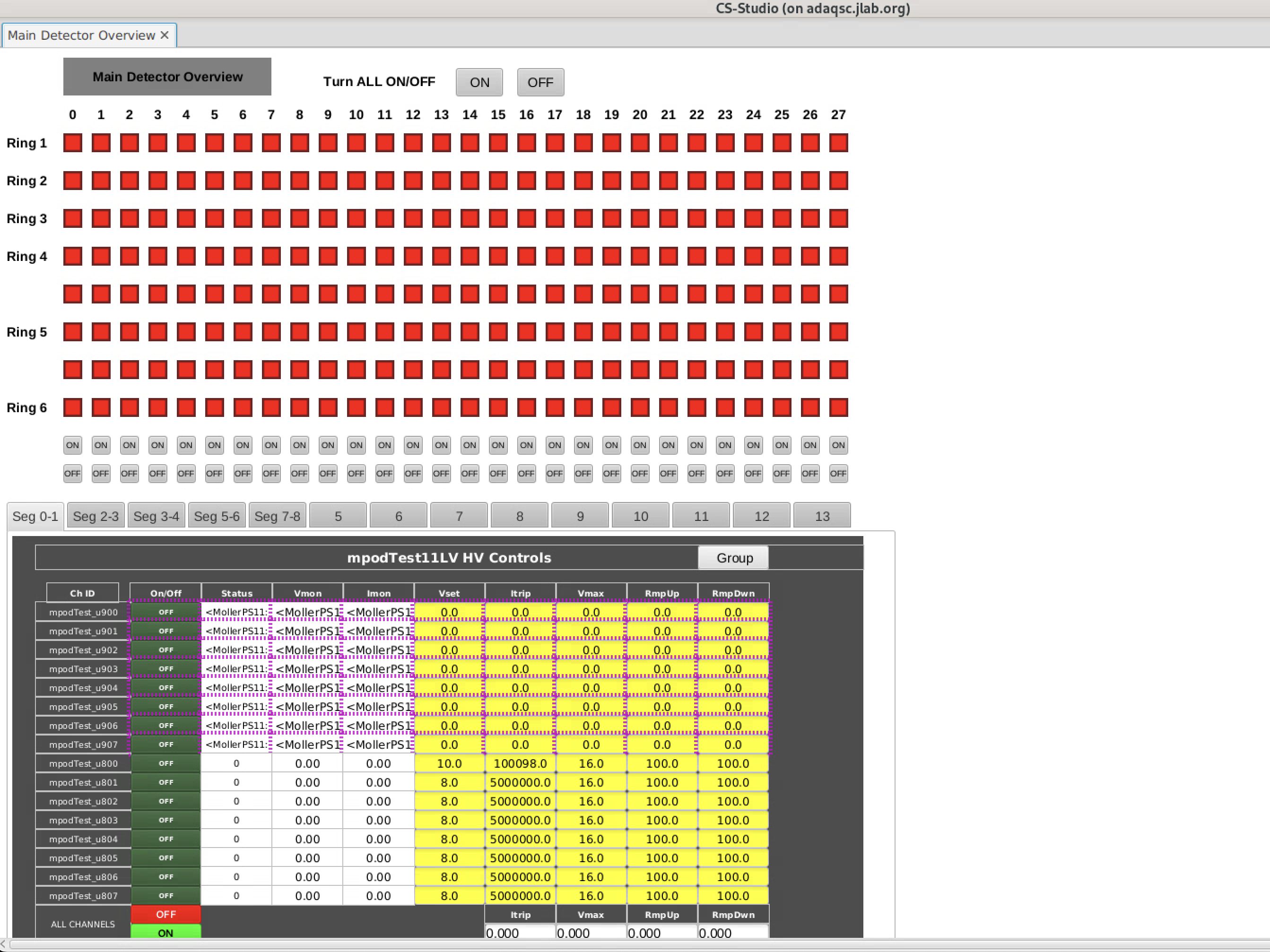
- File MD_overview_2.png MD_overview_2.png added
Examples of main detector overview screen
- Tested with LV module but it's straightforward to replace PV list for HV
- ON/OFF control for channel level, segment level, all channels
- Made a python script that creates .bob file
- Could add summary table tabs (currently linked to LV Test and GEM screens for test)